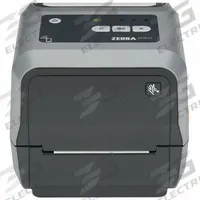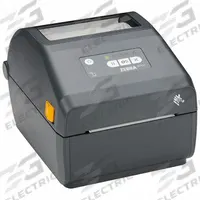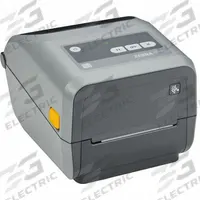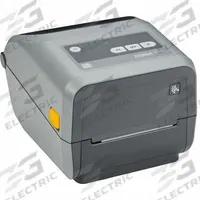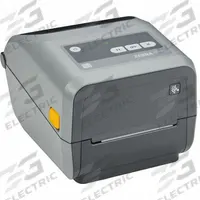

ZEBRA Desktop Printer: Direct Thermal/Thermal Transfer, 4.09 in Max. Print Wd
The ZEBRA ZD421 Desktop Printer (MPN ZD4A043-C01M00EZ) is a direct thermal and thermal transfer printer with a 4 in/sec print speed, 4.09 in max print width, push-button screen, tear-off dispensing, and Bluetooth…
SKU 3G-OTH-576104
Need installation or engineering help?
Ask a question
Product Description
The ZEBRA ZD421 Desktop Printer (MPN ZD4A043-C01M00EZ) is a direct thermal and thermal transfer printer with a 4 in/sec print speed, 4.09 in max print width, push-button screen, tear-off dispensing, and Bluetooth connectivity. 3G Electric interprets customer demand and delivers this genuine industrial equipment across 14 departments — and far more — with specialist depth in combustion, pumps and controls as an authorised distributor for brands like Schneider, ABB, Siemens, SKF, Festo, Fluke, Interpump and FBR.
Supplied to the Philippines — compatible with 60 Hz installations. DHL Express delivery to Manila, Quezon City, Cebu, customs and duties handled door-to-door.
Frequently Asked Questions
What is the ZEBRA ZD421 desktop printer used for?
The ZEBRA ZD421 is a direct thermal and thermal transfer desktop printer used for printing labels, barcodes, and tags in industrial settings. It suits manufacturing, logistics, and retail applications requiring reliable, on-demand printing with Bluetooth connectivity and a 4 in/sec print speed.
What are the specifications of the ZEBRA ZD421 printer?
The ZEBRA ZD421 (MPN ZD4A043-C01M00EZ) offers a 4.09 in max print width, 4 in/sec print speed, push-button screen, tear-off dispensing, and Bluetooth connectivity. It supports both direct thermal and thermal transfer printing, with wired communication capability.
Where to buy the ZEBRA ZD421 printer worldwide?
3G Electric supplies the genuine ZEBRA ZD421 desktop printer worldwide. We interpret your demand, source the correct configuration, and handle logistics and customs for delivery globally. Contact us to order the ZD4A043-C01M00EZ model with confidence.
How to set up the ZEBRA ZD421 printer for first use?
To set up the ZEBRA ZD421, connect power and load media according to the user manual. Pair via Bluetooth or wired connection, install ZEBRA drivers, and configure print settings for your label size. Calibrate the media sensor to ensure accurate label registration.
ZEBRA Products
3G Electric supplies ZEBRA direct thermal & thermal transfer use desktop printers. We supply genuine products with in-stock availability on common SKUs, technical documentation, commissioning support, and warranty service — worldwide.