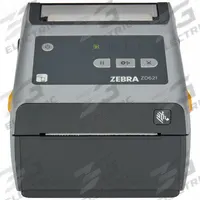

ZEBRA Desktop Printer: Direct Thermal, 2.2 in Max. Print Wd, 6 in/sec, Tear Off Dispensing
The ZEBRA ZD411 Direct Thermal Desktop Printer (MPN ZD4A022-D01E00EZ) delivers 6 in/sec print speed with a 2.2 in max print width, tear-off dispensing, and push-button controls. It connects via USB and Bluetooth for…
SKU 3G-OTH-575482
Need installation or engineering help?
Ask a question
Product Description
The ZEBRA ZD411 Direct Thermal Desktop Printer (MPN ZD4A022-D01E00EZ) delivers 6 in/sec print speed with a 2.2 in max print width, tear-off dispensing, and push-button controls. It connects via USB and Bluetooth for flexible wire communication. 3G Electric interprets demand and sources this genuine ZEBRA printer across 14 industrial departments — with specialist depth in controls to support your labeling and tracking workflows.
Supplied to the Philippines — compatible with 60 Hz installations. DHL Express delivery to Manila, Quezon City, Cebu, customs and duties handled door-to-door.
Frequently Asked Questions
What is the ZEBRA ZD411 desktop printer used for?
The ZEBRA ZD411 direct thermal printer is used for on-demand labeling and tracking in industrial, logistics, and manufacturing environments. It prints barcodes, asset tags, and shipping labels at 6 in/sec with a 2.2 in max print width, supporting tear-off dispensing for quick workflow integration.
What are the specifications of the ZEBRA ZD411 printer?
The ZEBRA ZD411 (MPN ZD4A022-D01E00EZ) is a direct thermal desktop printer with 6 in/sec print speed, 2.2 in max print width, tear-off dispensing, push-button controls, USB connectivity, and Bluetooth wireless communication. It is part of the ZD411 series from ZEBRA.
Where to buy the ZEBRA ZD411 printer worldwide?
3G Electric sources and supplies the genuine ZEBRA ZD411 printer worldwide. As a global industrial solutions provider, we handle full logistics, customs clearance, and delivery to your facility. Contact us to order the ZD4A022-D01E00EZ for your labeling and tracking needs.
How to install the ZEBRA ZD411 printer?
To install the ZEBRA ZD411, connect via USB or Bluetooth to your system, load direct thermal media, and configure print settings using ZEBRA's setup software. Ensure the printer is on a stable surface with adequate ventilation. For tear-off dispensing, align the media guide and test a label before production runs.
ZEBRA Products
3G Electric supplies ZEBRA direct thermal desktop printers. We supply genuine products with in-stock availability on common SKUs, technical documentation, commissioning support, and warranty service — worldwide.