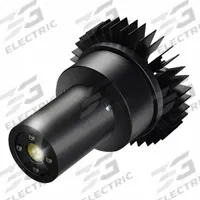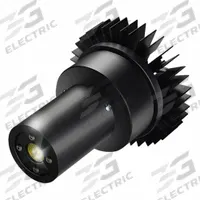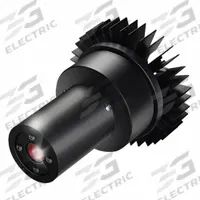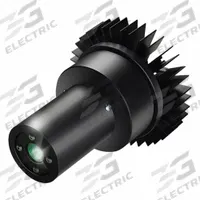

VISUAL WORKPLACE Projector, light marking, signals: Virtual Safety Symbols, Stop Outline
The VISUAL WORKPLACE INC. LED Projector with Image Disk (MPN 66-3130-623-PS131) is a 25 W red-light marking projector that displays a Stop Outline virtual safety symbol. It includes a projector with lens and is…
SKU 3G-OTH-561027
Need installation or engineering help?
Ask a question
Product Description
The VISUAL WORKPLACE INC. LED Projector with Image Disk (MPN 66-3130-623-PS131) is a 25 W red-light marking projector that displays a Stop Outline virtual safety symbol. It includes a projector with lens and is designed for light-marking applications. 3G Electric interprets customer demand and delivers this genuine industrial safety solution across 14 departments, with specialist depth in controls to support your facility's safety-signal needs.
Supplied to the Philippines — compatible with 60 Hz installations. DHL Express delivery to Manila, Quezon City, Cebu, customs and duties handled door-to-door.
Frequently Asked Questions
What is the VISUAL WORKPLACE INC. 66-3130-623-PS131 LED projector used for?
This 25 W red-light marking projector displays a Stop Outline virtual safety symbol for light-marking applications. It is used in industrial facilities to project clear visual safety signals, helping to designate hazard zones or restricted areas without physical floor markings.
What are the specifications of the VISUAL WORKPLACE INC. 66-3130-623-PS131?
The VISUAL WORKPLACE INC. 66-3130-623-PS131 is a 25 W LED projector with red laser color. It includes a projector with lens and displays a Stop Outline legend on a red background. The product type is Virtual Safety Symbols, and the manufacturer part number is 66-3130-623-PS131.
Where to buy the VISUAL WORKPLACE INC. 66-3130-623-PS131 worldwide?
3G Electric supplies and delivers the VISUAL WORKPLACE INC. 66-3130-623-PS131 LED projector worldwide. As a global industrial solutions provider, we handle full logistics and customs clearance to ensure this virtual safety symbol projector reaches your facility, wherever it is located.
How to install the VISUAL WORKPLACE INC. 66-3130-623-PS131 LED projector?
Mount the projector securely at the desired height and angle to project the Stop Outline symbol onto the target surface. Ensure the lens is clean and the unit is connected to a suitable power supply. Adjust focus as needed for a sharp image. Refer to the manufacturer's manual for detailed mounting instructions.
VISUAL WORKPLACE Products
3G Electric supplies VISUAL WORKPLACE led projectors with image disks. We supply genuine products with in-stock availability on common SKUs, technical documentation, commissioning support, and warranty service — worldwide.