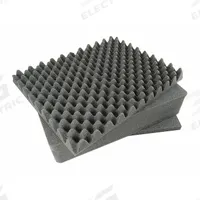
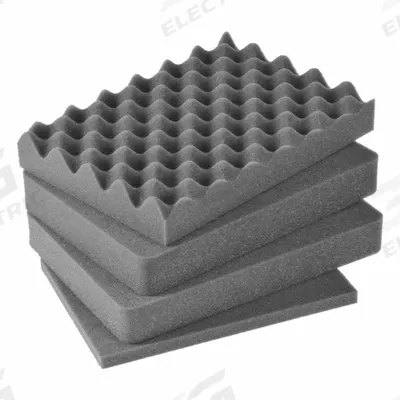
PELICAN Protective Equipment: 12 in x 14 5/8 in, 2 in_5/8 in_1 3/4 in Foam Thick
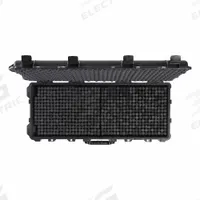
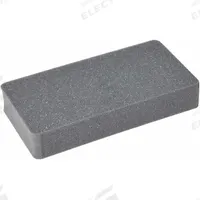
The PELICAN IM2100-FOAM Cubed Pick & Pull Foam Inserts are protective equipment designed for use with the PELICAN iM2100 case. Each set includes four plastic inserts with dimensions of 12 in x 14 5/8 in and a foam…
SKU 3G-OTH-350774
Need installation or engineering help?
Ask a question
Product Description
The PELICAN IM2100-FOAM Cubed Pick & Pull Foam Inserts are protective equipment designed for use with the PELICAN iM2100 case. Each set includes four plastic inserts with dimensions of 12 in x 14 5/8 in and a foam thickness of 2 in, 5/8 in, and 1 3/4 in. These inserts are compatible with Grainger part number 13E692.
Supplied to the Philippines — compatible with 60 Hz installations. DHL Express delivery to Manila, Quezon City, Cebu, customs and duties handled door-to-door.
Frequently Asked Questions
What is the PELICAN IM2100-FOAM foam insert used for?
The PELICAN IM2100-FOAM Cubed Pick & Pull Foam Inserts are used to protect and organize equipment inside a PELICAN iM2100 case. The pre-scored foam cubes can be removed to create custom cutouts for tools, instruments, or sensitive gear, making it ideal for field service, industrial transport, and military applications.
What are the specifications of the PELICAN IM2100-FOAM foam insert?
The PELICAN IM2100-FOAM set includes four plastic inserts with overall dimensions of 12 in x 14 5/8 in. Foam thicknesses are 2 in, 5/8 in, and 1 3/4 in. It is compatible with the PELICAN iM2100 case and Grainger part number 13E692. The brand is PELICAN and the manufacturer part number is IM2100-FOAM.
Where to buy PELICAN IM2100-FOAM foam inserts worldwide?
You can source the PELICAN IM2100-FOAM Cubed Pick & Pull Foam Inserts through 3G Electric, a global industrial equipment distributor. We handle full logistics, customs clearance, and delivery to worldwide destinations. Contact us for availability and lead time; we supply genuine PELICAN protective accessories for the iM2100 case.
How to install PELICAN IM2100-FOAM foam inserts in a case?
To install the PELICAN IM2100-FOAM inserts, open your iM2100 case and place the foam layers inside the lid and base. Remove pre-scored cubes by pulling them out to create custom cavities for your items. Ensure the foam fits snugly without forcing; no tools are required. This generic pick-and-pull method allows quick, tool-free customization for protective transport.
Used in
Common applications for PELICANPELICAN Products
3G Electric supplies PELICAN cubed pick & pull foam inserts. We supply genuine products with in-stock availability on common SKUs, technical documentation, commissioning support, and warranty service — worldwide.