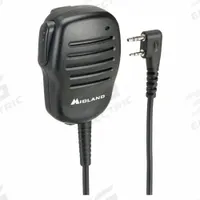

MIDLAND Programming Cable: Fits Midland
The MIDLAND USB Programming Cable (MPN BA1) is a programming accessory designed for use with Midland BizTalk BR200 series radios. This cable enables direct programming connectivity between a computer and the…
SKU 3G-OTH-388332
Need installation or engineering help?
Ask a question
Product Description
The MIDLAND USB Programming Cable (MPN BA1) is a programming accessory designed for use with Midland BizTalk BR200 series radios. This cable enables direct programming connectivity between a computer and the compatible radio. It is specifically engineered for the BizTalk BR200 model (model number BR200).
Supplied to the Philippines — compatible with 60 Hz installations. DHL Express delivery to Manila, Quezon City, Cebu, customs and duties handled door-to-door.
Frequently Asked Questions
What is the MIDLAND USB Programming Cable used for?
The MIDLAND USB Programming Cable (MPN BA1) is used to connect a computer directly to a Midland BizTalk BR200 series radio for programming. It enables configuration of radio settings, frequencies, and features via software, making it essential for fleet management and customizing communication parameters in industrial or commercial two-way radio deployments.
What are the specifications of the MIDLAND USB Programming Cable?
The MIDLAND USB Programming Cable (MPN BA1) is a USB programming cable type designed exclusively for Midland BizTalk BR200 series radios. It is compatible with the Midland radio brand and the BizTalk BR200 series, with manufacturer part number BA1 and compatible radio model number BR200. It provides a direct USB connection for programming.
Where to buy the MIDLAND USB Programming Cable worldwide?
You can source the MIDLAND USB Programming Cable (MPN BA1) through 3G Electric, a global industrial equipment distributor. We handle full logistics, customs clearance, and delivery to worldwide destinations. Contact 3G Electric for availability and lead time; we provide this cable for BizTalk BR200 series radios.
How to install the MIDLAND USB Programming Cable?
To install the MIDLAND USB Programming Cable (MPN BA1), connect the USB end to your computer and the radio interface to a Midland BizTalk BR200 series radio. Install the required programming software from Midland. Ensure the radio is powered on and in programming mode. Follow the software instructions to read or write radio configurations.
Used in
Common applications for MIDLANDMIDLAND Products
3G Electric supplies MIDLAND midland-compatible programming accessories. We supply genuine products with in-stock availability on common SKUs, technical documentation, commissioning support, and warranty service — worldwide.