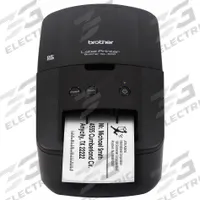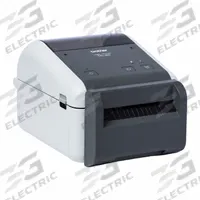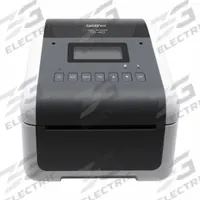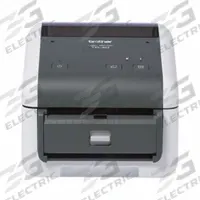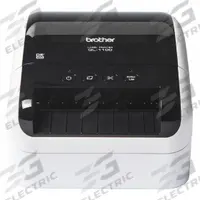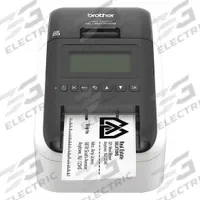

BROTHER Desktop Printer: 2.3 in Max. Print Wd, 1.84 in/sec, Cutter Dispensing
The BROTHER QL-810W is a direct thermal desktop printer from the Brother QL series, offering a 2.3-inch maximum print width and a print speed of 1.84 in/sec. It features cutter dispensing and wired/wireless (WiFi)…
SKU 3G-OTH-575504
Need installation or engineering help?
Ask a question
Product Description
The BROTHER QL-810W is a direct thermal desktop printer from the Brother QL series, offering a 2.3-inch maximum print width and a print speed of 1.84 in/sec. It features cutter dispensing and wired/wireless (WiFi) communication. 3G Electric interprets customer demand and delivers this genuine industrial equipment across 14 departments, with specialist depth in combustion, pumps and controls as an authorised distributor.
Supplied to the Philippines — compatible with 60 Hz installations. DHL Express delivery to Manila, Quezon City, Cebu, customs and duties handled door-to-door.
Frequently Asked Questions
What is the Brother QL-810W desktop printer used for?
The Brother QL-810W is a direct thermal desktop printer used for printing labels, barcodes, and shipping tags in industrial and office environments. Its cutter dispensing and 2.3-inch print width suit small-parts labeling, asset tracking, and logistics applications. 3G Electric supplies this genuine Brother equipment worldwide.
What are the specifications of the Brother QL-810W?
The Brother QL-810W is a direct thermal desktop printer from the Brother QL series. It has a maximum print width of 2.3 inches, a print speed of 1.84 in/sec, cutter dispensing, and wired/wireless (WiFi) communication. The manufacturer part number is QL-810W.
Where to buy the Brother QL-810W worldwide?
3G Electric supplies the Brother QL-810W desktop printer to customers worldwide. As a global industrial solutions provider, we handle full logistics, customs clearance, and delivery to your facility. Contact us to order this genuine Brother printer for your labeling or barcoding needs.
How to install and set up the Brother QL-810W printer?
Install the Brother QL-810W by connecting it via USB or WiFi to your computer, then installing the latest drivers from Brother's support site. Load the label roll, close the cover, and configure print settings in your software. For best results, use genuine Brother labels and follow the quick-start guide.
BROTHER Products
3G Electric supplies BROTHER direct thermal desktop printers. We supply genuine products with in-stock availability on common SKUs, technical documentation, commissioning support, and warranty service — worldwide.